Downloading photos using Flickr
This year the Hamilton Dante Center will be using the Photo sharing site www.Flickr.com to host pictures from the Summer Credit Course in Italy 2010.
For those parents and students who wish to obtain high resolution images from the credit course activities we suggest that you use the following instructions.
VIsit the Italianculture.ca website for photo updates

Visit www.italianculture.ca and click on Gallery to access a list of all the updates. The latest update will appear at the top of the list. Click on the title to view the images for the day.
Locate a photo on the www.italianculture.ca website
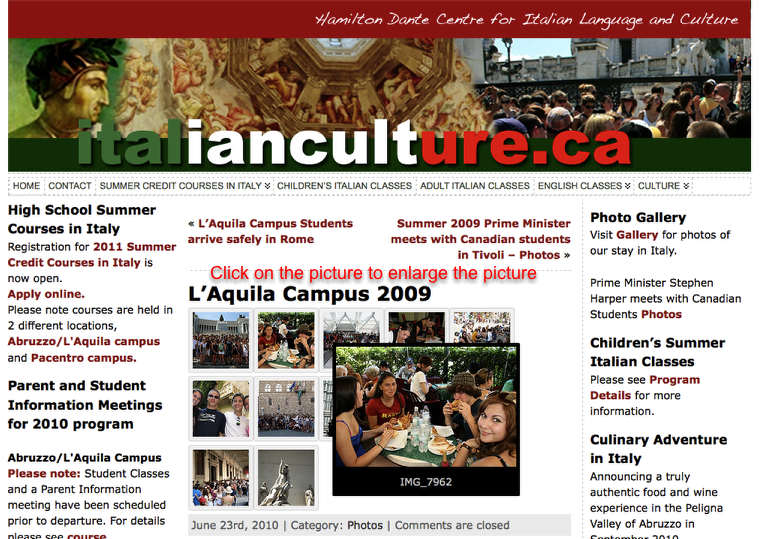
Mouse over an image to view and then click on an image to enlarge it.
Locate the Link to the Flickr website

Click on the "flickr" link and you will be directed immediately to the Flickr site. The photo you want to download will be the first picture you see in the Hamilton Dante Centre photostream.
Locate the high resolution version of the photo.
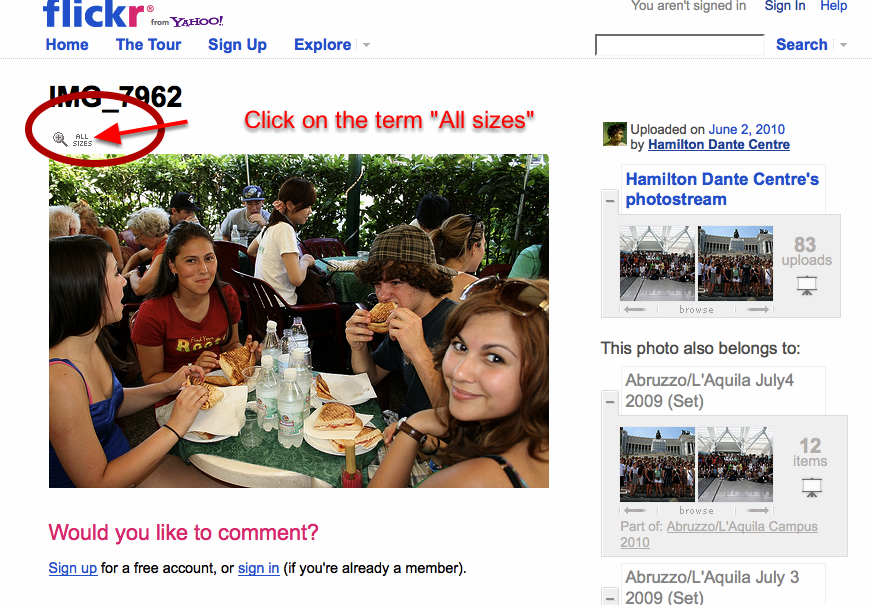
Above the upper left corner of the picture is a magnifying glass and the text "all sizes." Click on term "all sizes." and a new window will open with a list of sizes from which to make a selection.
Choose a file size to download

Select a file size for the picture you wish to use. The larger the numbers - the larger the file size and the higher the resolution of the picture. For viewing on your computer the medium size works well. For printing pictures, choose the large or original size. In some cases, the large size may also be the original.
View the pictures as a slide show
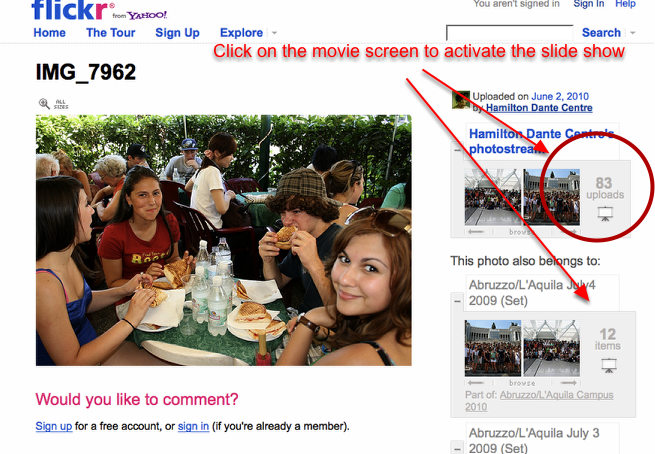
You can view the entire Hamilton Dante Centre collection or a single set by using the slide show function. Click on the screen image under the "uploads" to activate the slide show.
Use the Calendar function at www.italianculture.ca to find photos
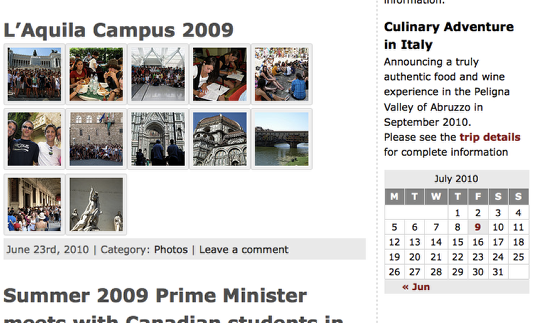
Return to www.italianculture.ca and you can also search for updates by using the calendar posted on our website. Click on the date to find all postings for that day. Click the tile of a post to view the pictures for the day.
You can also subscribe to daily updates in your favourite reader using this link. http://feeds.feedburner.com/italianculturecanada
Back to the www.italianculture.ca